Head Trimmer Plugin for WordPress
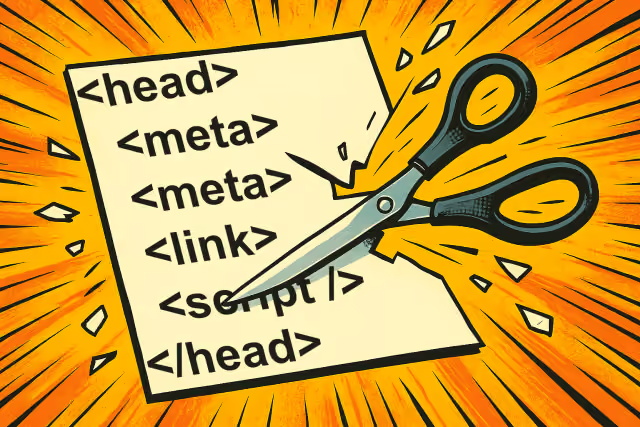
Head Trimmer gives you granular control over what WordPress automatically outputs in the <HEAD> element of every page. Each option is independent. Enable only the removals that make sense for your website. Nothing is removed until you enable it.
Removing unnecessary HEAD elements reduces page weight, eliminates potential security signatures such as the WordPress version number, and keeps your generated source code clean.
Why You Might Need This Plugin
Many WordPress users likely never pay attention to what is being added to the <HEAD> element of their pages. However, this small piece of code can have a big impact on performance, security, and maintainability.
Here is why the Head Trimmer plugin is valuable:
- Improved Performance: Extra scripts and DNS prefetch requests create additional overhead, which can increase page load times. Removing them helps optimize website speed.
- Better Security: WordPress exposes version information in the HTML by default. Attackers can use this to exploit known vulnerabilities. Head Trimmer makes it easy to remove such details.
- Cleaner Code: Removing unused or unnecessary links keeps your HTML source clean, making it easier to debug, maintain, and audit.
- More Control: Not every website needs emoji support, oEmbed links, or shortlinks. With this plugin, you decide exactly what stays and what goes.
How It Works
Head Trimmer hooks into WordPress functions that generate extra <HEAD> elements and removes them before the page is rendered. The plugin provides a checklist of options you can enable or disable, giving you full control without needing to edit theme files or write custom code.
Some of the elements it can remove include:
- WordPress Version Information: WordPress automatically includes its version number in the HTML, which can provide attackers with a target for exploits if vulnerabilities in that version are discovered.
- Shortlinks: WordPress generates a shortlink to the current post, which is often unnecessary and can clutter the
HEAD. - Canonical Links: While canonical URLs help prevent duplicate content issues, they are not always needed in every page or post.
- oEmbed Discovery Links: WordPress includes links for embedding content from other sites. If you are not using these features, they add unnecessary overhead.
- Emoji Support: WordPress includes a script for emoji support by default, which may not be necessary for many sites.
- DNS Prefetching: DNS prefetch links to external services like
//s.w.orgor Google Fonts are often not required and can slow down page load times by making unnecessary external requests. - jQuery: WordPress automatically loads jQuery on every page, even if it is not used. This can add to the page load time and potentially conflict with other libraries.
- And more: Including the JavaScript Import Map, Interactivity API, Image Auto Sizes Styles, Speculation Rules, and smart conditional loading of the comment reply script.
By trimming these items, your website delivers a leaner <HEAD> section, with fewer requests and less exposure of sensitive information.
Removal Options
- WordPress Version
- WordPress Version from URLs for Scripts and Styles
- Shortlink
- Shortlink from HTTP response headers
- Canonical
- Relational Links for Posts Adjacent to Current Post
- RSS Feeds
- Really Simple Discovery Link for xmlrpc (
rsd_link) - Windows Live Writer Manifest File Link (
wlwmanifest_link) - oEmbed Discovery Links
- REST API Link
- REST API Link Header
- Emoji Support
- Global Styles and SVG Filters (duotone filters)
- Gutenberg Block CSS Styles (or set
should_load_separate_core_block_assets) - Classic Theme Styles (
classic-theme-styles) - DNS Prefetch for
//s.w.org - DNS Prefetch for Google Fonts
//fonts.googleapis.com - jQuery
- JavaScript Import Map
- Interactivity API
- Image Auto Sizes Styles
- Speculation Rules
- Comment Reply Script (loads only on singular posts and pages where comments are open)
How to Use the Plugin
Using Head Trimmer is straightforward, even for non-technical WordPress users:
- Install and activate the plugin from your WordPress dashboard.
- Adjust settings under the plugin’s configuration page to fit your needs. You will see a list of checkboxes corresponding to common
<HEAD>elements. Simply check the items you want to remove. - Verify the results by viewing your website in a browser. Inspect the page source and confirm that the unwanted elements have been removed.
Download
Download the Head Trimmer Plugin from the WordPress plugin directory.
Summary
The Head Trimmer plugin is a powerful yet lightweight solution for WordPress users who want to optimize website performance, enhance security, and maintain cleaner code. By eliminating unnecessary <HEAD> elements, you gain faster load times, reduce exposure to potential threats, and take greater control over what is included in your website’s HTML output.
Whether you are running a personal blog, a professional portfolio, or a large business website, trimming the <HEAD> is a smart step toward a faster and more secure WordPress experience. Updated regularly to keep pace with new WordPress releases.
Related Projects
If you find Head Trimmer helpful, check out my other WordPress plugins: Analytical Spam Filter, Micro Contact Form, and Custom Field Embedder.