Using AI to Modernize a 30-Year-Old QBasic Game for the Web
In 1996, while I was in high school, I wrote a small QBasic game called Maze Racer. Thirty years later, I found the original source code and used AI to rebuild it as a modern browser game called Gauntlet Racer. The core mechanic stayed the same: a car trying to survive on a winding road. Almost everything else changed.
I wrote it on my own outside of school, usually during long stretches at the computer in the basement. I remember bringing it in and having classmates in my introductory computer programming class play it. It was not Doom. It was not Duke Nukem. But I had written it, it ran, and watching other people play something I made was satisfying.
I used Claude for most of the implementation work. This article covers how that process worked and what changed technically from the original.
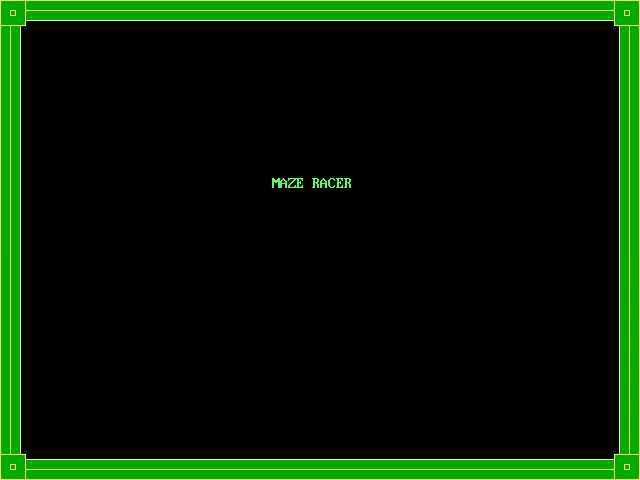
The Original QBasic Game
The game was written in QBasic, which was included with MS-DOS. QBasic had some graphics capability through built-in drawing commands like LINE, CIRCLE, and PAINT that drew directly to the screen buffer. The game ran in SCREEN 12, which gave 640x480 pixels and 16 colors.
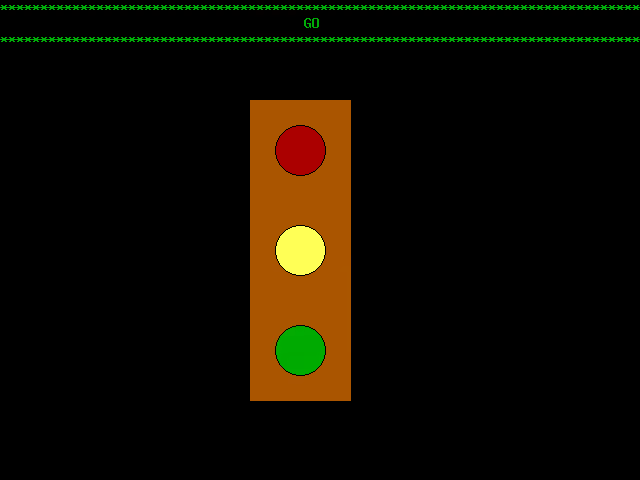
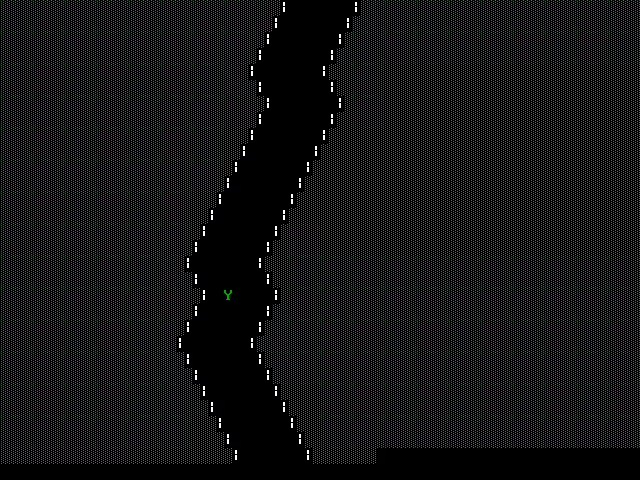
The core mechanic was a two-column boundary scrolling down the screen. The road was stored in a file loaded at startup into two arrays, one for the left margin width and one for the road width. Each row was drawn using PRINT with colored character fills, pipe characters for the walls, and spaces for the road surface. The car was a Y character positioned on row 19, moving left and right in response to the J and K keys. Why J and K instead of the arrow keys is a mystery I cannot fully explain, but there it is in the source. Collision detection was a bounds check each frame: if the car’s column fell outside the current row’s edges, the game ended.
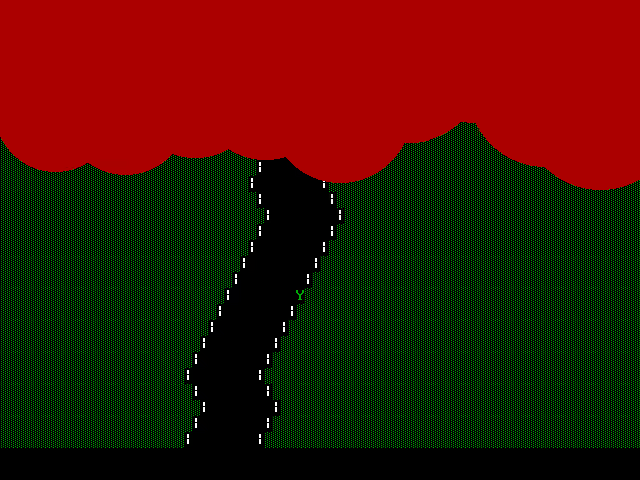
The graphics were primarily in the crash sequence. When you hit a wall, the game ran a BLOOD subroutine that animated ten red circles of varying sizes falling down the screen using CIRCLE calls in a loop. The intent was to evoke the James Bond gun barrel intro, with circles dropping and filling the screen with red. Within the limits of SCREEN 12 graphics, it came reasonably close to the effect I was aiming for.
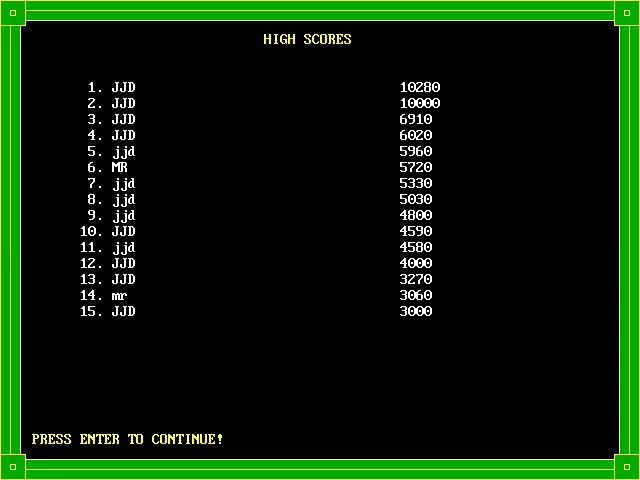
High scores were saved to and loaded from a local file, with scores and player initials run through a simple Caesar cipher where each character’s ASCII value was shifted by 5 on write and shifted back on read. The cipher was almost certainly there to stop players from opening the scores file and editing their way to the top of the leaderboard. Looking back, I am a little surprised I included something like that since I was just learning to program.
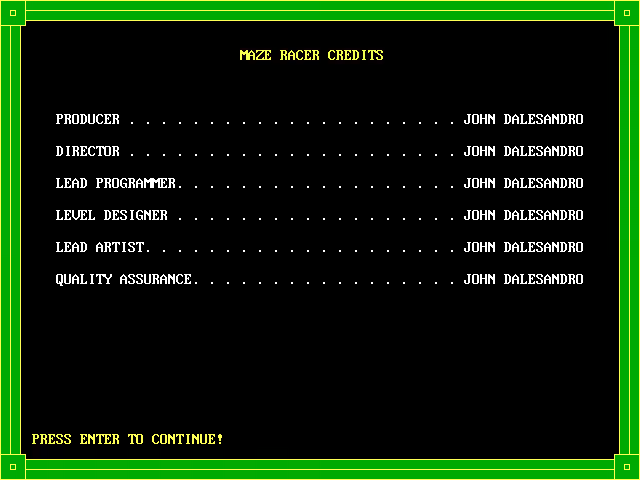
The credits screen listed every role as John Dalesandro (not very modest).
The speed mechanic worked by tracking a delay value that started at 100 milliseconds and decreased by 5 each time the track looped. The track looped continuously from the file data, so the game ran indefinitely until you crashed. The score incremented by 10 each frame you survived.
That is the entire architecture.
Getting the original to actually run again was its own small project. The source would not compile with QB64, the modern QBasic-compatible compiler, and the old executable would not run on current Windows. I tried using Claude to make the code QB64-compatible, but that was not working out either. DOSBox ended up being the solution, running the old executable just fine through emulation. Once it was running again I had a reference point to work from.
Why Rewrite It Now
I was not trying to release a game. The goal was to see how much of the original could survive translation to a modern platform and what AI tooling could do to accelerate that process. I was also curious how closely a modern implementation could preserve the feel of the original despite being built on completely different technology.
Writing the original in 1996 took real time. Every mechanic had to be thought through from scratch. How would the road scroll? How would the car position be tracked? How would collision detection work against a character-grid boundary? How do you read and write files? How do you make a delay loop that behaves consistently across different hardware? I was working through all of it step by step as a teenager who was still learning. The code reflects that process: subroutines that handle one thing at a time, careful bounds checking, a speed system built around a simple integer you could reason about in your head.
The rebuilt version runs to several thousand lines of code. That scope would have taken considerably longer on my own, and would have required researching APIs and browser behavior piecemeal along the way. Working with AI compressed that process dramatically.
The core mechanic is unchanged. A road that narrows and eventually ends your run. Everything else is new.
The Conversion Process
I fed the original source to Claude and asked it to modernize the game in JavaScript, keeping the same gameplay but adding proper graphics and polish. The first pass came back as a working HTML5 Canvas implementation within a single response. It was surprisingly faithful to the original: the road scrolled, the car moved, collision detection worked.
From that starting point, the conversation became a back-and-forth development session that ran through several rounds of changes. Here is what got built out across those sessions.
Rendering
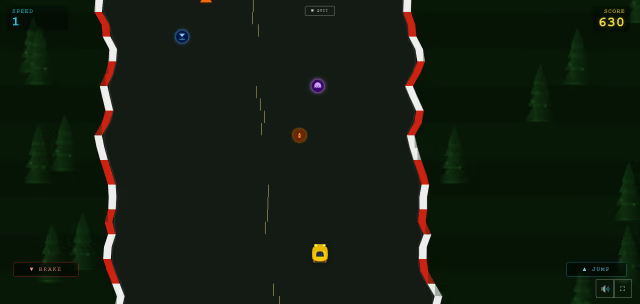
The original version drew the road using PRINT statements with colored ASCII characters and used CIRCLE and LINE for graphical moments like the crash animation. The JavaScript version uses an HTML5 Canvas element with requestAnimationFrame for the game loop. The road is drawn row by row using fillRect calls, each row calculated from a stored array of left and right edge positions. Procedural road generation replaced the static map file, making every run different.
The canvas also scales to the device’s pixel ratio, which keeps the rendering sharp on HiDPI displays.
Game Loop and Speed Progression
The original game paced itself by decrementing a millisecond delay value each time the track looped. In JavaScript, the game loop runs on requestAnimationFrame and tracks elapsed time since the last frame. Speed is expressed in road rows per second and increases as the score climbs. The road width minimum also decreases as the game progresses, and the final version can get considerably narrower at high scores than the original track ever did.
Biomes
This one has no parallel in the original at all. As you play, the environment transitions between six biomes: Plains, Desert, Snow, Forest, Rocky, and Bridge. Each has its own color palette for the road surface, verges, and background. The Snow biome adds falling particle effects. Each biome also has its own roadside decorations rendered as off-screen canvases and stamped onto the verges as sprites. The transition between biomes uses a cross-fade, and the interval is configurable in the settings.
Obstacles
The original version had no obstacles other than the walls. The rebuilt game adds two types, safety cones and barriers. Each is placed procedurally during road generation with a minimum row gap enforced to prevent impassable clusters. Obstacle density is configurable before the game starts, with infrequent, normal, and frequent presets, plus a fully custom mode where you can dial in your own frequency and spacing using sliders. You can also disable obstacles entirely or toggle each type independently.
Power-Ups
The original had no power-ups. The rebuilt version adds four: extra life, ghost mode, speed boost, and slowdown. Each spawns procedurally along the road. Ghost mode makes the car semi-transparent and invincible for a configurable number of seconds. Speed boost and slowdown modify the effective speed multiplier. The duration of each power-up is adjustable in the settings.
Sound
The original used QBasic’s SOUND command, which took a frequency and duration and played a tone through the PC speaker. The engine sound swept from 40Hz to 200Hz in a loop, and the high score entry screen played a siren effect the same way. It worked, but it was entirely the PC speaker.
The rebuilt game uses the Web Audio API to synthesize all sounds programmatically in the browser with no audio files to load. The engine sound is a sawtooth oscillator with a second oscillator an octave below and a slow modulation on the pitch to avoid the frozen-synth effect a plain oscillator produces. Engine pitch tracks the car’s effective speed, so boost and slowdown power-ups change the pitch accordingly. Separate sound effects handle power-up collection and crashes, and all three categories are individually controlled in the audio settings.
The AudioContext is created on first user interaction rather than at page load. This is required by iOS Safari and Chrome on Android, both of which block audio context initialization before a user gesture.
Crash Animation
The original had the BLOOD subroutine, ten red circles of varying sizes animated falling down the screen, designed to evoke the James Bond gun barrel intro. It was one of the more visually ambitious parts of the original.
The rebuilt version handles crashes with a spark particle system. A burst of particles flies outward from the car’s position, each with randomized velocity, size, and color in orange and gold tones.
High Scores
The original maintained a 15-entry high score table with scores and initials encrypted using a simple +5 Caesar cipher. The rebuilt version drops the persistent high score table entirely and just shows your score at game over. Browser storage options were available, but I chose to keep things simple and session-based.
Car Customization
The title screen includes a customizer where you can pick a car color and body style before starting a run. Four body styles are available: Sports, Muscle, Formula, and Monster Truck. The car is drawn on canvas using geometric shapes rather than sprites, so the color selection applies cleanly across all styles. In the original, the car was an ASCII Y character.
Mobile Support
The original game ran on a keyboard. The rebuilt version adds full touch controls for mobile play.
What AI Actually Did
Claude wrote most of the code. I described what I wanted, gave it the original source as a reference, and iterated on the result.
Some things required several passes. The scroll direction was initially wrong. The obstacle spacing needed tuning to avoid generating impassable runs. The engine audio went through two rounds of revisions where the first version sounded like a frozen synth note, and the second added the pitch modulation and octave layer to make it feel more like an actual engine. The biomes, decorations, and custom settings dialogs all grew incrementally across separate sessions.
What I provided was direction and judgment. What AI provided was the implementation. The decisions about what the game should feel like were mine. The code to make it feel that way came from the conversation.
That is a genuinely different mode of working than 1996. Back then the bottleneck was pure time: thinking through the logic, typing it, debugging it, figuring out why the delay loop ran at different speeds on different machines. The thinking and the typing were inseparable. Now the bottleneck shifts. The thinking still matters; if anything, good judgment becomes more important, because the AI will confidently implement whatever you describe, including the wrong thing. Having a programming background made a real difference in writing prompts specific enough to get useful results, catching problems in the output, pushing back when something was not working correctly, and recognizing when a solution was technically sound versus one that would cause problems later. That experience does not disappear in an AI-assisted workflow. It just gets applied differently.
The name changed too. The original was called Maze Racer, which never really fit since it was never a maze. After some discussion about what name better described the actual mechanic, the rebuilt version became Gauntlet Racer.
Wrapping Up
It is interesting to look at how much the surface changed while the core stayed the same. The road still narrows. Eventually, you still crash. The question is still just how far you can get before that happens. That was true in QBasic in 1996 and it is still true in the browser version now.
What changed is everything around that core. The tools, the process, the scale of what is possible in a reasonable amount of time. The original took weeks of careful, step-by-step work to build something small. The rebuilt version took a fraction of that time working with AI. Neither approach makes the other irrelevant. The original experience is actually what made the AI-assisted version work: knowing enough to ask the right questions, recognize when an answer was wrong, and push the result toward something worth releasing.
The whole thing was genuinely fun. Just like having classmates try the original back in 1996, I got to watch family try the rebuilt version. The reviews are that it is still terrible, so some things do not change. I cannot compete with Roblox or Minecraft. But as a learning exercise that included both writing a game from scratch as a teenager and modernizing it with AI decades later, it was worth every minute.
If you want to see the finished game, it is on the Gauntlet Racer project page.